CBA Remote Support RustDesk Distribution Page
Communication Business Avenue, Inc. DX Promotion Department
What is RustDesk?
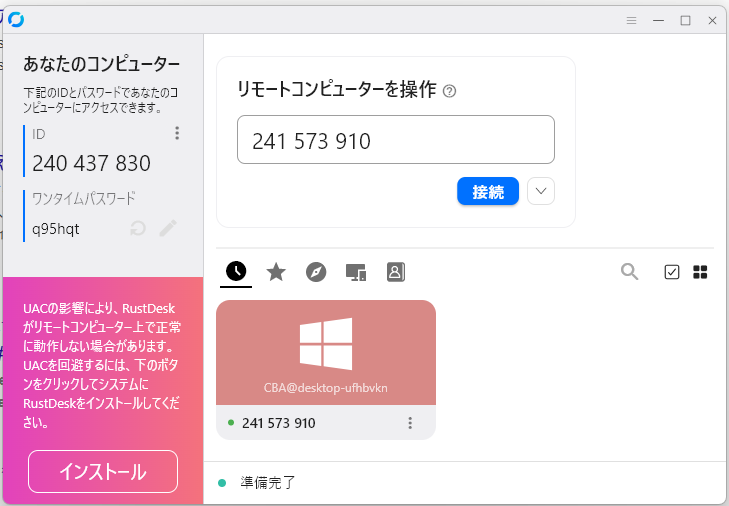
RustDesk is a secure remote desktop tool. This tool allows IT support staff to share your PC screen remotely to assist in resolving issues. Please also feel free to use it actively when you need to support others.
Windows Client Download
Click the button below to download the client for Windows.
Download RustDesk (Windows)
After downloading, simply run the file to get started.
No special installation is necessary.
(If you download the file multiple times, "(1)" may be added to the end of the filename. The key is registered via the filename, so please use the .exe file without parentheses.)
Download for Mac & Other Clients
Click the button below to download the client from the official RustDesk website.
Download RustDesk (Mac, Linux, Android, iOS)
After downloading, open "Settings → Network → ID/Relay Server" and enter the following configuration to complete the setup:
ID Server: support.cbalab.com
Key: ztAQUqJAP5R6ESkq5GQTN9ca5J4dAErfGgAJH5tmGgY=
Key Benefits
- Easy & No Setup Required: Just run the executable to get started. No complicated configuration is needed.
- Secure Connection: All communication is routed through our dedicated internal server, ensuring it is secure and preventing information leaks to third parties.
- Prompt Support: IT support staff can directly see your PC's status, which is often difficult to explain verbally, significantly reducing the time to resolve issues.
Usage Guidelines
- Connection Approval: When accepting a remote connection, please verify the ID displayed on the screen to ensure the connection is from an authorized IT support staff member.
- Closing the Application: When remote support is no longer needed (e.g., after a session is complete), please close the application completely (right-click the icon in the system tray and select "Close").
Contact
If you have any questions about how to use or download the tool, please contact the DX Promotion Department. We also welcome new ideas and suggestions for improvement.
Teams: Dozono